What’s new
- The precision tier of the 2.5 generation: shipped 2026-09-08, officially described as OpenAI's "most capable model for image generation and editing," aimed at production assets and advertising creative — a separate product line from the faster Flare tier, not a slower setting on the same model.
- Two new quality tiers: quality now goes up to
xhighandmax(alongside low/medium/high/auto), and those two are exclusive to the 2.5 generation — gpt-image-2 doesn't support them. - Built for multi-turn detail editing: officially positioned for detailed, repeated editing passes, with up to 16 reference images per edit call so a piece can go through several rounds without drifting.
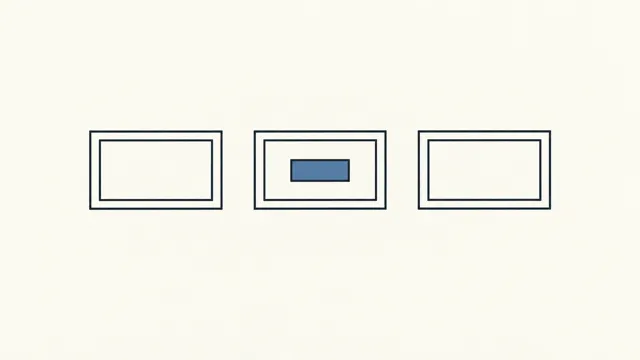
- Mask-based local inpainting: hand it an image with an alpha-channel mask and it edits only the masked region, leaving everything else untouched.
What it’s good for
- Final, ship-ready assets — ad creative and finished product photography where detail and precision matter.
- Multi-round editing where a piece gets refined step by step while composition and style stay consistent.
- Masked local replacement: swapping one region or element in an image while leaving the rest exactly as it was.
Prompting tips
- Check whether you actually need this tier first: OpenAI's guide recommends Sunburst when quality and precision matter most; if speed is more important, try the identical prompt on Flare to see if it's good enough.
- Separate what changes from what stays the same, for edits: the recommended pattern is "change only X," then list everything to preserve — identity, geometry, layout, lighting, labels.
- Iterate one step at a time across multiple edits: feed the previous output back in as the next input, request a single change, and restate what must stay the same.
- Be specific about the masked region and the intent: describe what should change inside the mask and confirm everything outside it stays untouched.
- Put on-image text in quotes, describe its position and typography, and spell out unusual words or brand names letter by letter if needed.
- Ask for "photorealistic" explicitly when that's the goal, describing framing, materials and lighting.
Editing the previous water bottle product shot: change only the bottle color from black to coral
orange. Keep the cap color, the "HYDRO PRO" label's position, font and size, and the lighting,
shadow, camera angle and background all exactly the same.
Known limits
- A few extreme aspect ratios are capped at 1K: 27:16, 16:27, 9:8 and 8:9 don't support 2K or 4K.
- Not every aspect ratio can reach the highest resolution — check which resolution tiers are actually available for the ratio you pick.
- Transparent backgrounds have to be requested explicitly: the background parameter doesn't default to transparent — set it to transparent and pair it with PNG/WebP output.
Using it in Nomi
On the generation canvas, add a image card, pick “GPT Image 2.5 Sunburst” in the model picker and choose a mode (Text to image, Image editing). Add your references, write the prompt and generate. In the storyboard you can pick it per shot. The first time, connect any one of the providers above under Settings → Models.