Features

One studio to finish a whole film.

Write the script, split it into shots, generate keyframes and video, arrange the timeline and export MP4 — all in Nomi. You bring the models and pay the provider’s price; each project is a folder on your own disk.

Agent

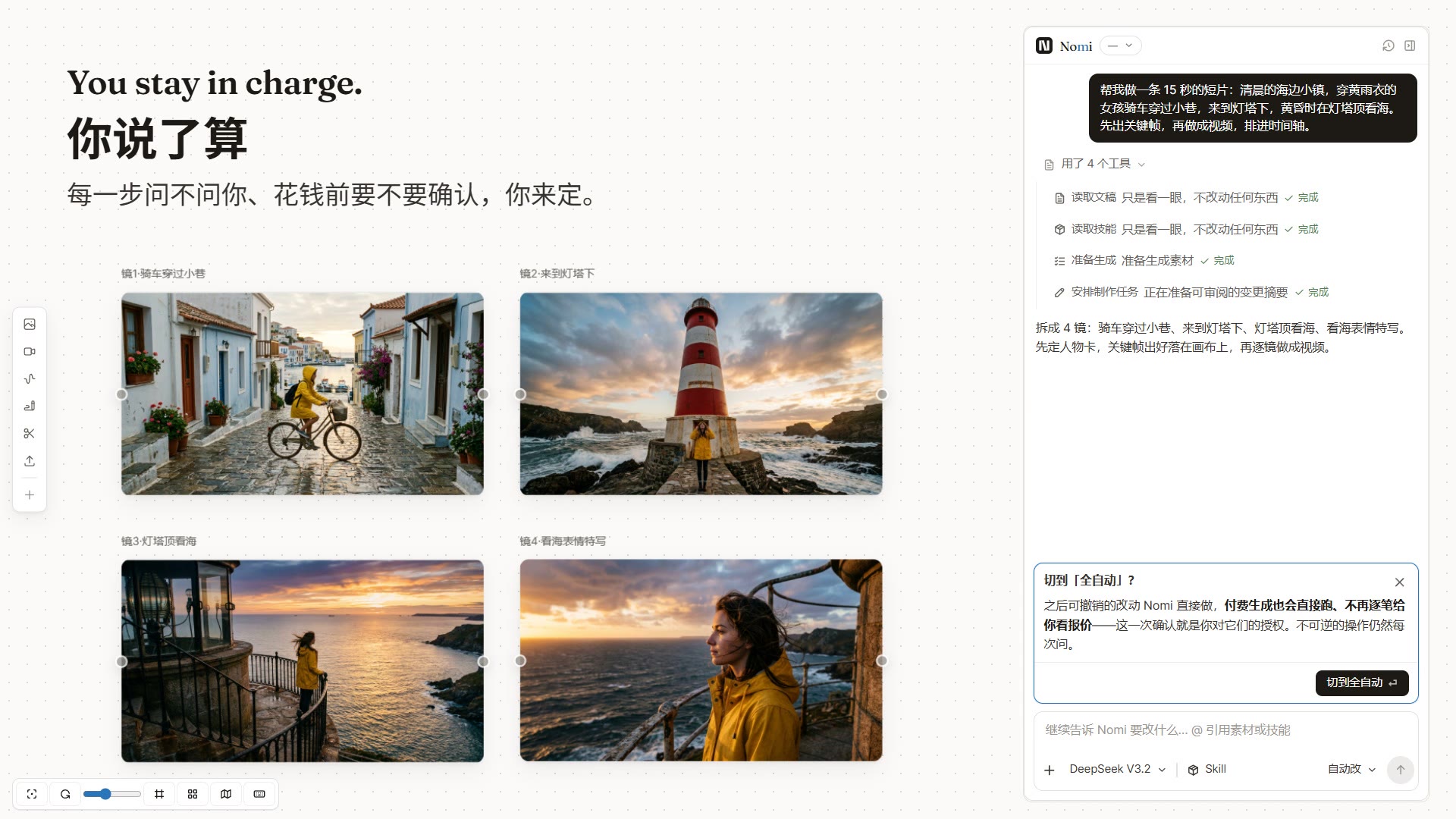
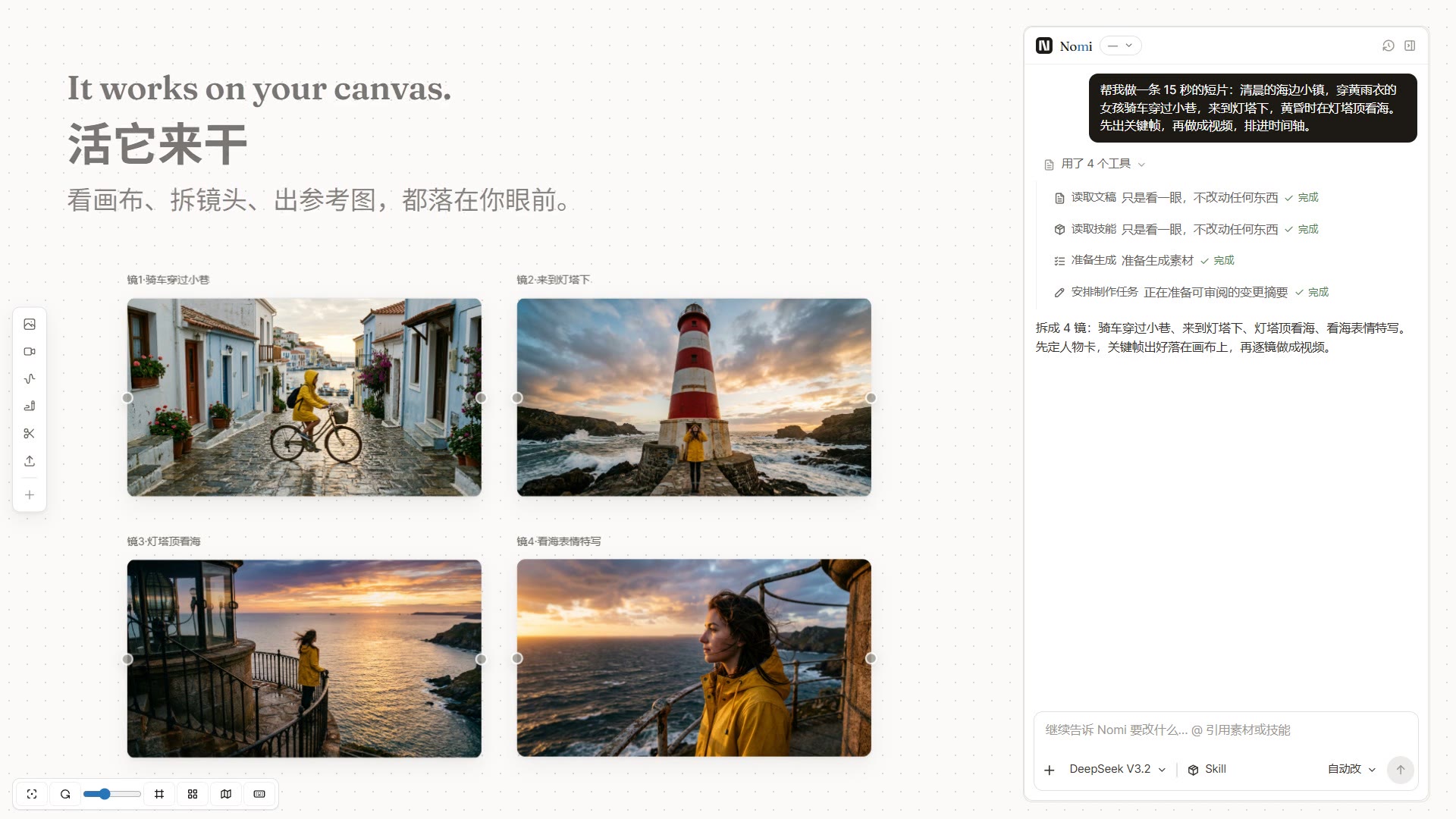
Say what you want, and it gets to work

Describe the film in plain words. The agent reads your canvas, splits the story into shots, generates keyframes and video and lays them on the timeline. Everything it makes lands on the canvas, where you can see it and change it.

  • Understands what is already on the canvas
  • Shots, prompts, images, video and timeline in one pass
  • Backed by directing and writing skills, so shots are planned
See the skills it uses →
Say what you want, and it gets to work

You decide

You choose when it asks

Three levels: ask at every step, edit automatically, or fully automatic. On the default level it edits the script and timeline without interrupting you, but still asks before any paid generation. Full autonomy needs your explicit confirmation, and irreversible actions always ask first.

  • Default level asks before spending money
  • Full autonomy has to be switched on by hand
  • Irreversible actions such as deleting always ask
You choose when it asks

Storyboard

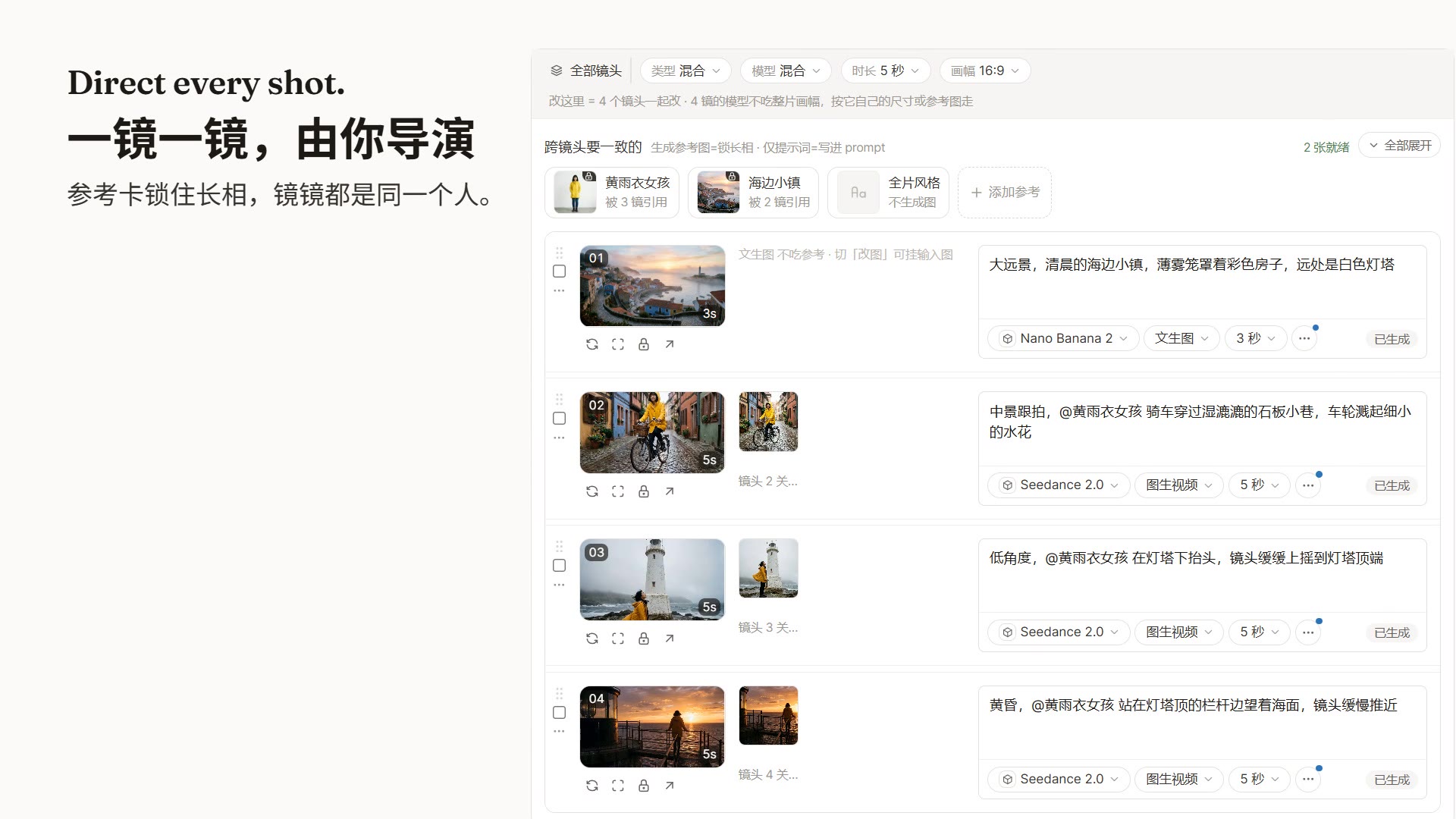
One row per shot, and you direct

Each shot is one row: prompt, first frame, model and duration at a glance. Lock a reference card for a character or location and every shot that uses it keeps the same face and the same place.

  • Edit prompts and switch models row by row
  • Reference cards keep characters and places consistent
  • Pick a model per shot
Character and scene recipes →
One row per shot, and you direct

Generation canvas

Every take is kept, so you pick the best

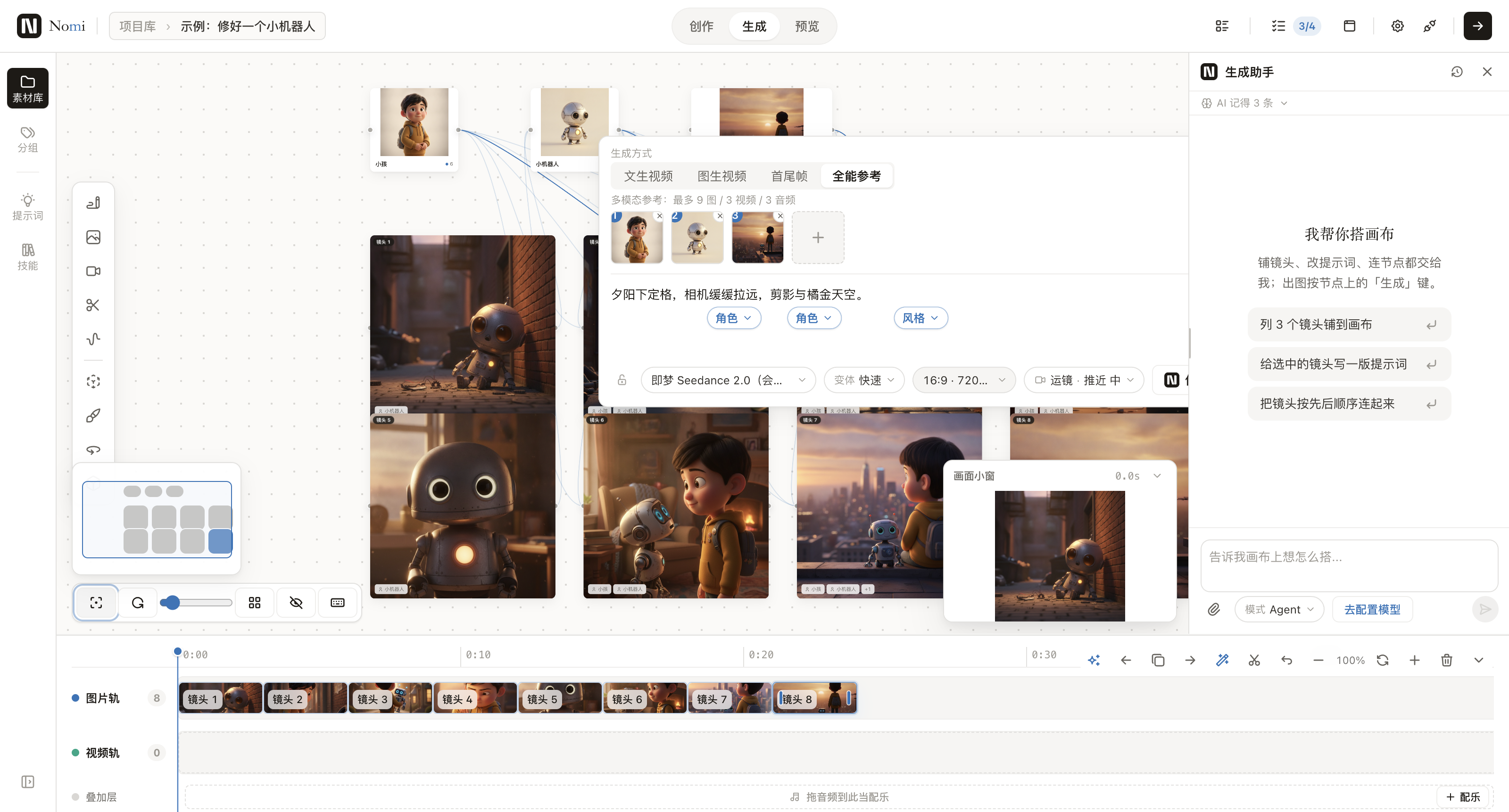
Shots become nodes on the canvas. Switch between text to video, first frame, first and last frame, and multi-reference. Every generation stays as a version; if it is not right, make another and put the best one on the timeline.

  • Four modes: text, first frame, first and last frame, multi-reference
  • Compare versions of the same shot side by side
  • Apply effect prompts to a card with one click
Browse the prompts →
Every take is kept, so you pick the best

3D director’s stage

Your phone is the viewfinder

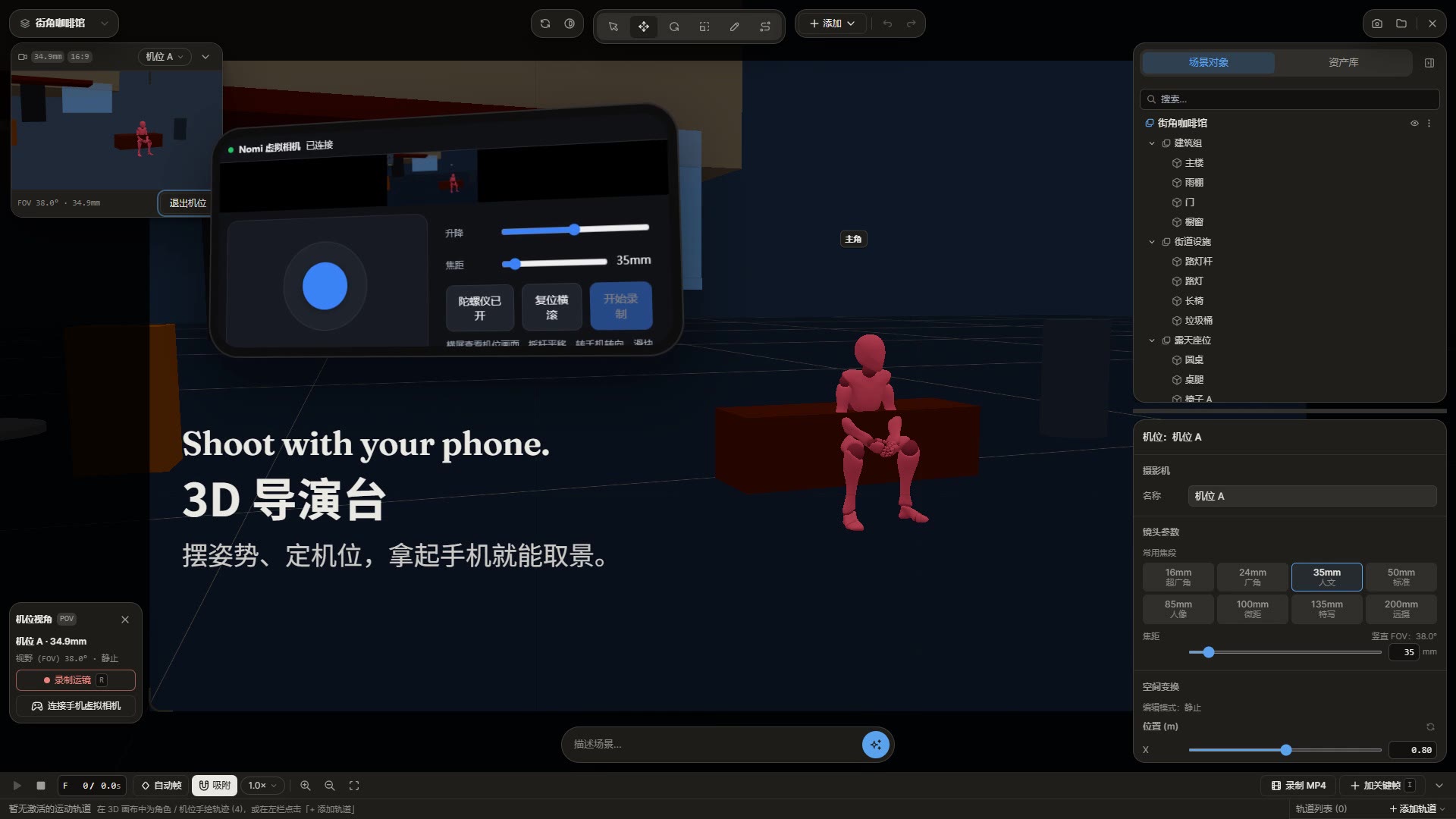
Pose the characters and place the camera in a 3D scene, then frame the shot with your phone. The frame goes straight back to the canvas and on into video.

  • Pose characters and place cameras
  • Scan a code and use your phone as the viewfinder
  • Use the captured frame as the first frame
Your phone is the viewfinder

Any model

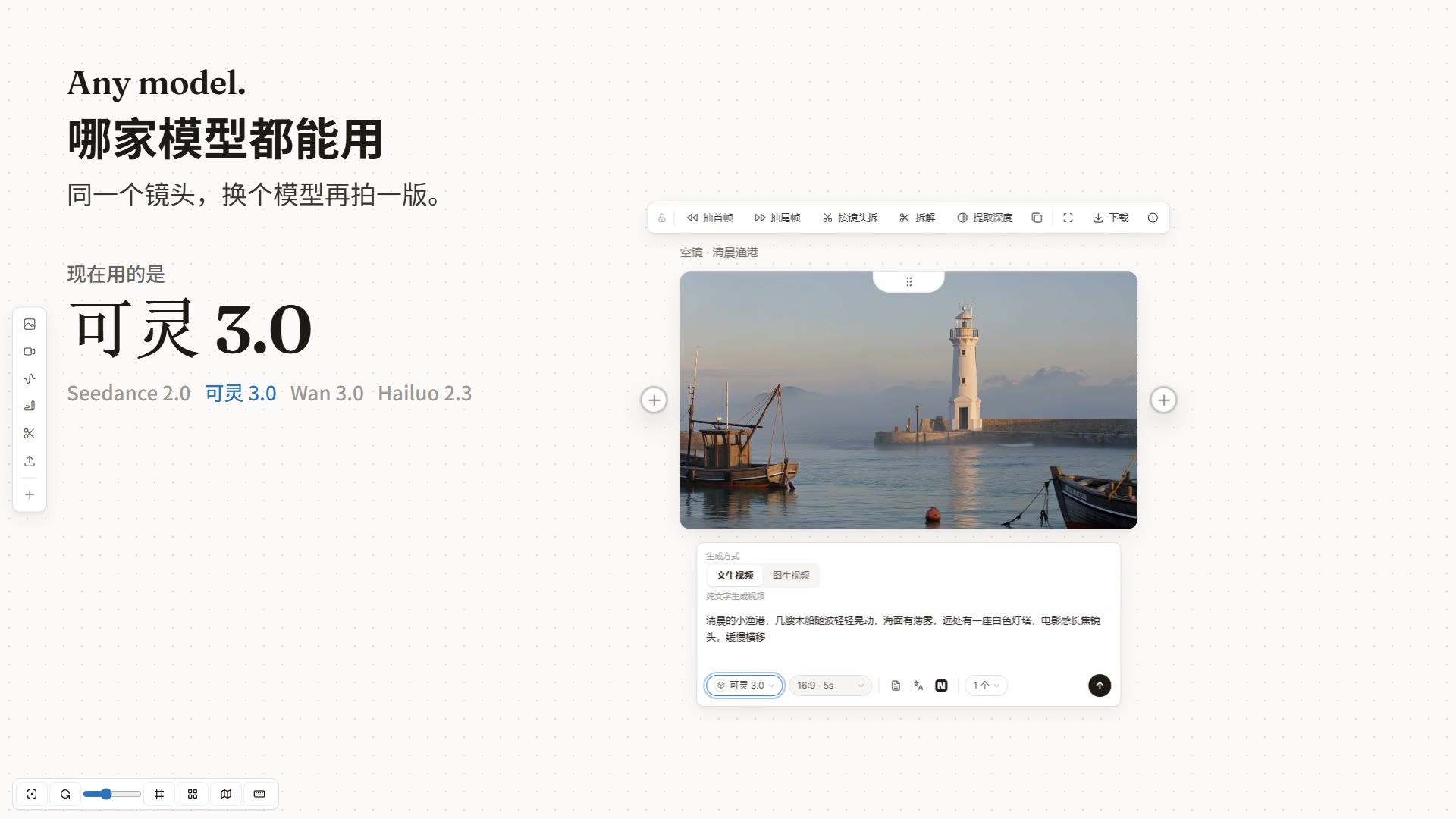
Use any provider, switch per shot

Try the same shot on Seedance, Kling, Wan or Hailuo. Connect APIMart, Kie.ai, Volcano Engine Ark, ModelScope, a Jimeng membership, any OpenAI-compatible relay or a local ComfyUI; ask Claude Code or Codex to connect a new model for you.

  • Your own keys, at the provider’s price
  • The model picker shows where each model is available
  • New models can be connected the day they launch
Browse the models →
Use any provider, switch per shot

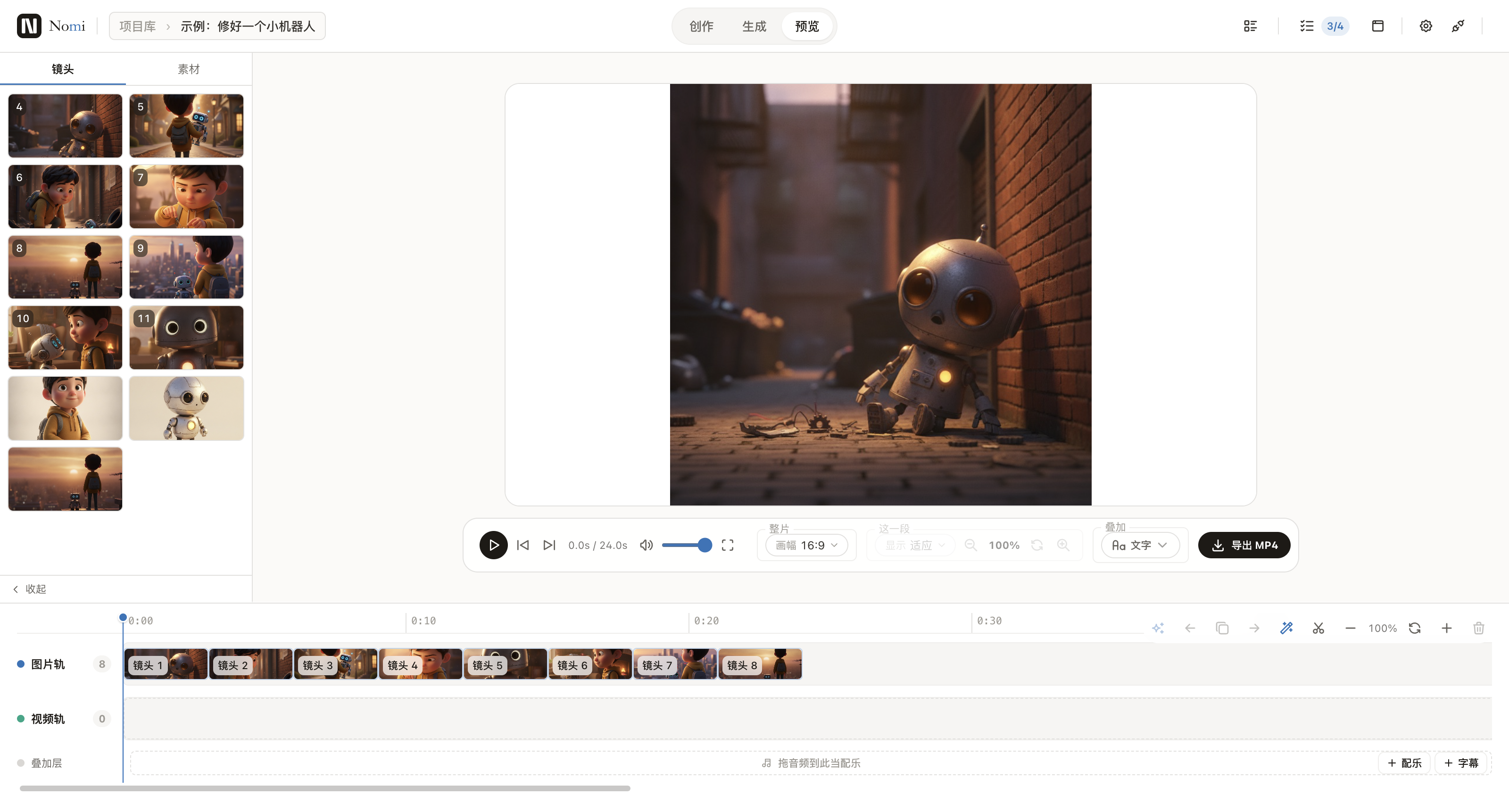
Timeline and export

Arrange it, add sound, export MP4

Put the chosen shots in order on the timeline, add captions and music, preview the whole film and export MP4.

  • Image and video tracks, music and captions
  • Preview while you edit
  • Export MP4 in one click
Read the getting-started guide →
Arrange it, add sound, export MP4

What it can’t do yet

  • Precise lip sync is not supported yet.
  • The Mac app is not signed by Apple yet: open it with right-click → Open the first time, and updates need a fresh download.

Everything stays yours

No account, no telemetry. A project is a folder on your disk with the canvas, storyboard, timeline and every image and clip inside. All of the code is open source (AGPL-3.0).

Pro-grade AI video. Models at their real price.

macOS · Windows · AGPL-3.0 · No account

Download Nomi
Choose the version for this computer

Nomi downloads directly when the platform is known. If the Mac chip cannot be detected reliably, choose the matching installer.

First launch on macOS

The current macOS build is not Apple Developer ID signed or notarized. Only use download links on this site or in the official Nomi GitHub repository.

  1. Download the matching DMG and drag Nomi to Applications.
  2. In Finder, right-click Nomi in Applications, choose Open, then confirm Open.
  3. If it is still blocked, open System Settings → Privacy & Security, find Nomi, and click Open Anyway.

Only if macOS says Nomi is “damaged”: confirm the installer came from an official link above, then open Terminal and run:

xattr -dr com.apple.quarantine "/Applications/Nomi.app"

You do not need to disable Gatekeeper globally, and should not do so.